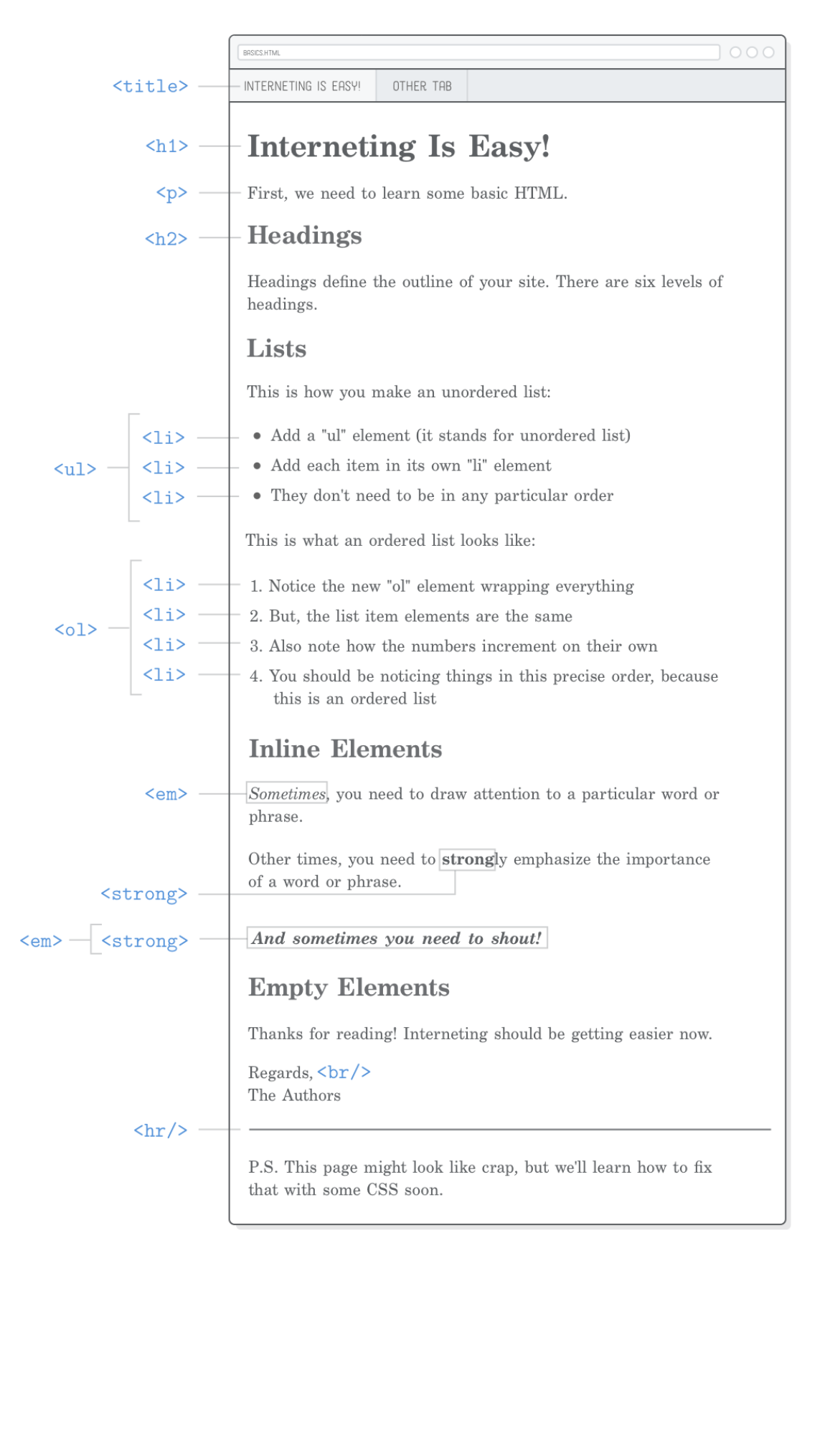
02.Basic web pages
Setup
Structure of a web page
网页的基本结构如下:
<!DOCTYPE html>
<html>
  <head>
    <!-- Metadata goes here -->
  </head>
  <body>
    <!-- Content goes here -->
  </body>
</html>
- 通过
<!DOCTYPE html>行告诉浏览器这是一个 HTML5 网页 - 整个网页需要用
<html>标签包裹起来。实际的<html>文本称为“开始标记”,而</html>称为“结束标记”。 - 网页的头部包含其所有元数据,例如页面标题、任何 CSS 样式表以及呈现页面所需但您不一定希望用户看到的其他内容。
- 大部分 HTML 标记将位于
<body>元素中,它代表页面的可见内容。 - 任何以
<!--开头并以-->结尾的内容都将被浏览器完全忽略。这对于记录代码和给自己做笔记很有用。
Page titles
标题,由恰当命名的 <title> 元素定义。浏览器将其显示在页面的选项卡中,而 Google 将其显示在搜索引擎结果中。
<!DOCTYPE html>
<html>
  <head>
    <title>Interneting Is Easy!</title>
  </head>
  <body>
    <!-- Content goes here -->
  </body>
</html>
Paragraphs
<!DOCTYPE html>
<html>
  <head>
    <title>Interneting Is Easy!</title>
  </head>
  <body>
    <p>First, we need to learn some basic HTML.</p>
  </body>
</html>
Headings
页面上的第一个标题通常应该是 <h1> ,所以让我们在现有的 <p> 元素上方插入一个标题。第一个 <h1> 元素与文档的 <title> 匹配是很常见的,如下所示:
<body>
  <h1>Interneting Is Easy!</h1>
  <p>First, we need to learn some basic HTML.</p>
</body>
添加一个二级标题
<!DOCTYPE html>
<html>
  <head>
    <title>Interneting Is Easy!</title>
  </head>
  <body>
    <h1>Interneting Is Easy!</h1>
    <p>First, we need to learn some basic HTML.</p>

    <h2>Headings</h2>
    <p>Headings define the outline of your site. There are six levels of
    headings.</p>
  </body>
</html>
Unordered lists
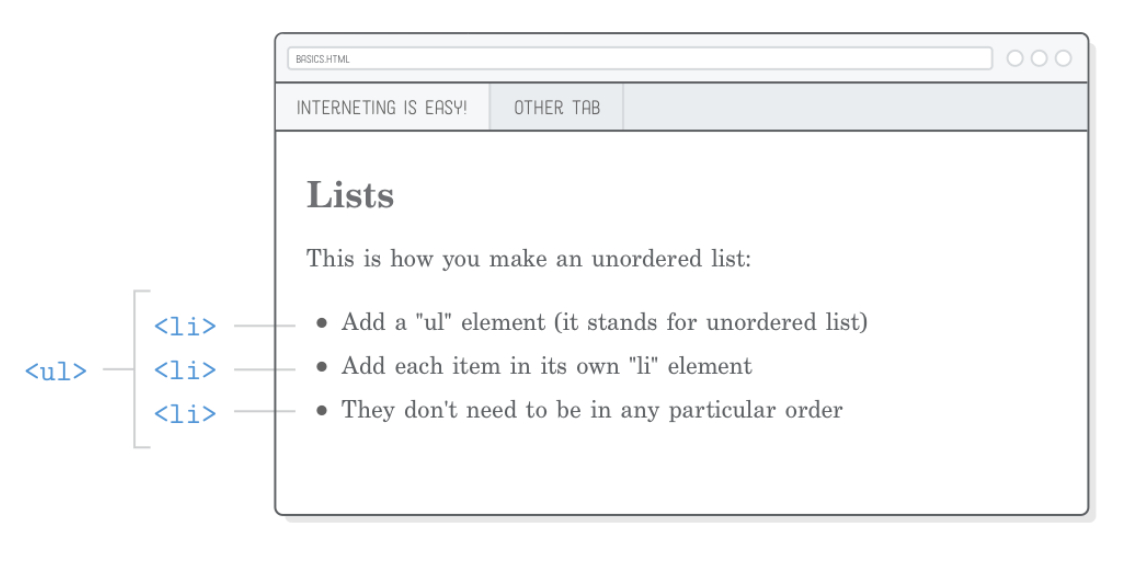
内容包装在 <ul> 标签中告诉浏览器其中的任何内容都应该呈现为“无序列表”。要表示该列表中的各个项目,请将它们包装在 <li> 标记中,如下所示:
<h2>Lists</h2>

<p>This is how you make an unordered list:</p>

<ul>
  <li>Add a "ul" element (it stands for unordered list)</li>
  <li>Add each item in its own "li" element</li>
  <li>They don't need to be in any particular order</li>
</ul>
HTML 规范定义了关于哪些元素可以放入其他元素内部的严格规则。在这种情况下, <ul> 元素应该只包含 <li> 元素,这意味着您永远不应该编写如下内容:
<!-- (This is bad!) -->
<ul>
  <p>Add a "ul" element (it stands for unordered list)</p>
</ul>
相反,您应该使用 <li> 标签将该段落括起来:
<!-- (Do this instead) -->
<ul>
  <li><p>Add a "ul" element (it stands for unordered list)</p></li>
</ul>
Ordered lists
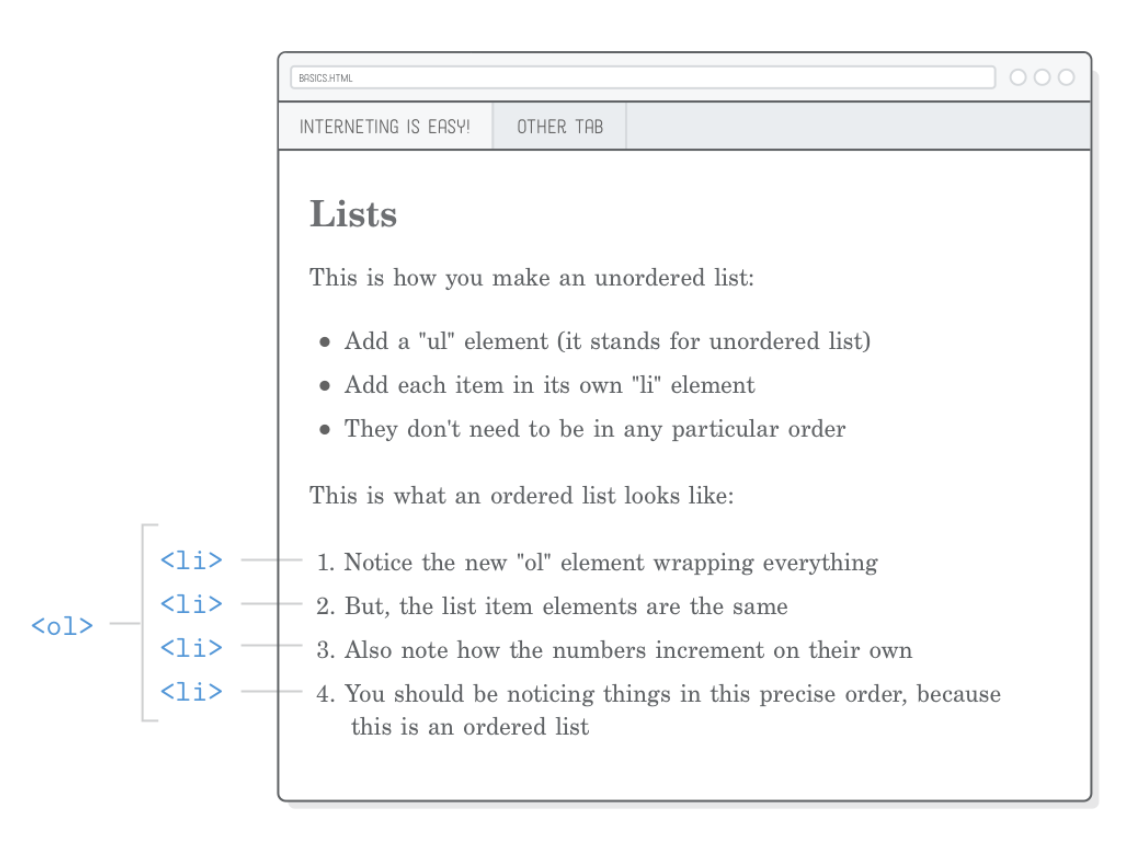
<p>This is what an ordered list looks like:</p>

<ol>
  <li>Notice the new "ol" element wrapping everything</li>
  <li>But, the list item elements are the same</li>
  <li>Also note how the numbers increment on their own</li>
  <li>You should be noticing things is this precise order, because this is
      an ordered list</li>
</ol>
到目前为止,我们只处理“块级元素”(也称为“流内容”)。另一种主要类型的内容是“内联元素”或“短语内容”,它们的处理方式略有不同。
块级元素始终绘制在新行上,而行内元素可以影响行内任何位置的文本部分。
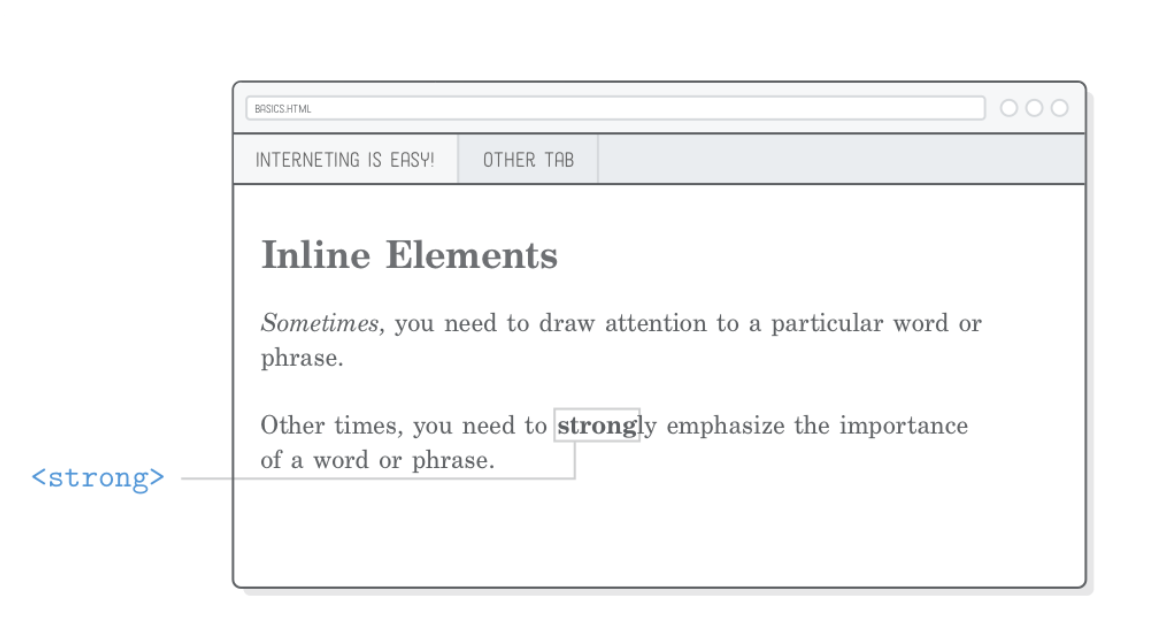
例如, <p> 是块级元素,而 <em> 是影响段落内文本范围的内联元素。它代表“强调”,通常显示为斜体文本。尝试在我们的示例网页中添加一个新的部分来演示强调文本:
<h2>Inline Elements</h2>

<p><em>Sometimes</em>, you need to draw attention to a particular word or
phrase.</p>
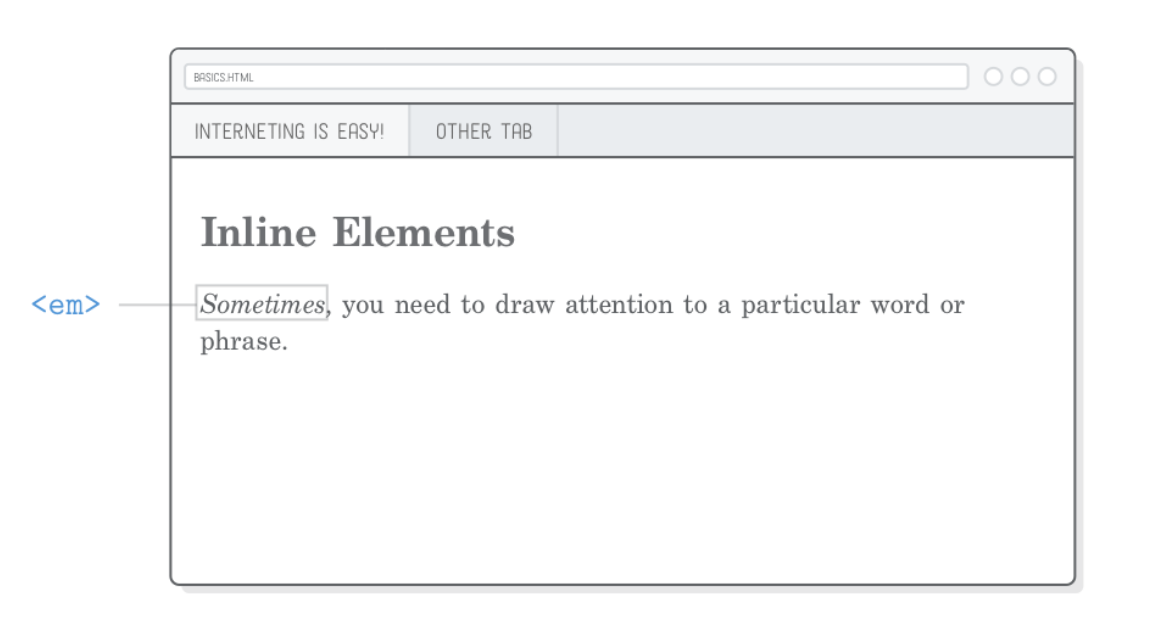
包裹在 <em> 标签中的部分应呈现为斜体
Strong (bold) elements
如果您想比 <em> 标记更加强调,可以使用 <strong> 。它是一个内联元素,就像 <em> 一样,如下所示:
<p>Other times you need to <strong>strong</strong>ly emphasize the importance
of a word or phrase.</p>
Structure versus presentation
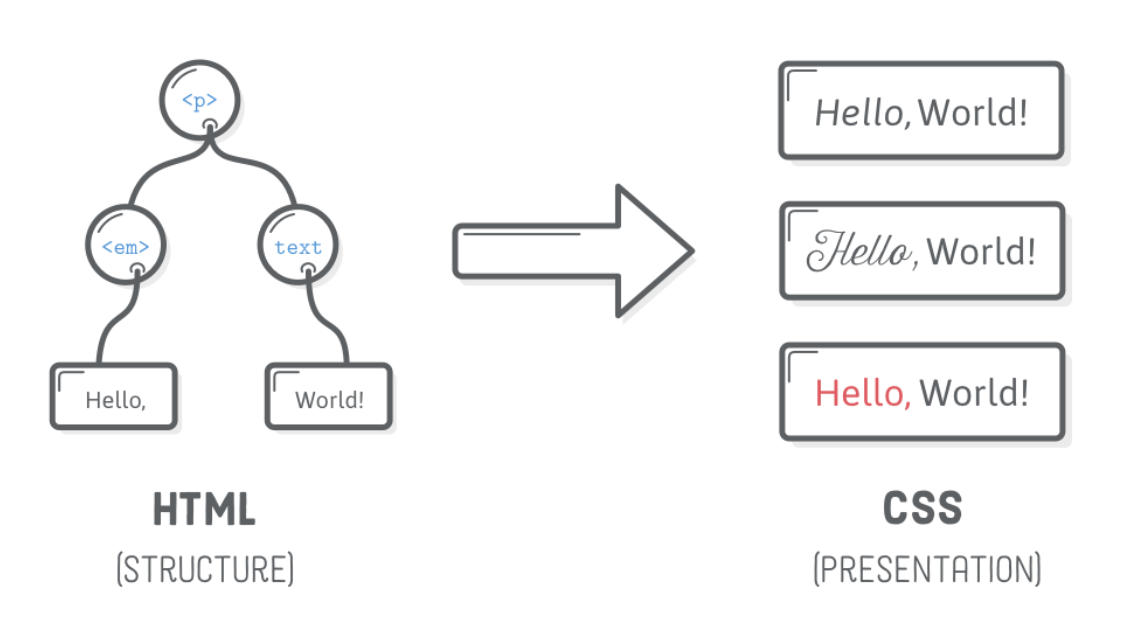
为什么使用“emphasis” and “strong” instead of “italic” and “bold”? 这给我们带来了 HTML 和 CSS 之间的重要区别。 HTML 标记应该提供有关内容的语义信息,而不是外观信息。换句话说,HTML 应该定义文档的结构,而将其外观留给 CSS。
Empty html elements
That’s not the case for all HTML elements. Some of them can be “empty“ or “self-closing”. Line breaks and horizontal rules are the most common empty elements you’ll find.
Line breaks
<h2>Empty Elements</h2>

<p>Thanks for reading! Interneting should be getting easier now.</p>

<p>Regards,
The Authors</p>
上面代码片段中 Regards 之后的换行符将转换为空格,而不是显示为换行符
为了告诉浏览器我们想要硬换行,我们需要使用显式的 <br/> 元素,如下所示:
<p>Regards,<br/>
The Authors</p>
Horizontal rules
The <hr/> element is a “horizontal rule”, which represents a thematic break.The transition from one scene of a story into the next or between the end of a letter and a postscript are good examples of when a horizontal rule may be appropriate. For instance:
<h2>Empty Elements</h2>

<p>Thanks for reading! Interneting should be getting easier now.</p>

<p>Regards,<br/>
The Authors</p>

<hr/>

<p>P.S. This page might look like crap, but we'll fix that with some CSS
soon.</p>
使用 <hr/> 元素的另一种方式是,它的重要性不如新标题元素创建的分隔,但比新段落更重要。
Optional trailing slash
所有空 HTML 元素中的尾部斜杠 ( / ) 是完全可选的。上面的代码片段也可以像这样标记(注意 <br> 和 <hr> 标记中缺少 / ):
<p>Regards,<br>
The Authors</p>

<hr>
选择哪种约定并没有什么区别,但为了保持一致性,选择一种约定并坚持下去。在本教程中,我们将包含尾随 / 字符,因为它清楚地表明它是一个自闭合元素。这将有助于防止您的眼睛在文档中其他地方搜索结束标记。
Summary